My VTTRPG Engine
A completely database-driven, custom Virtual Table Top Role Playing Game ENGINE. This is NOT just a place to PLAY games. It's a place to BUILD them as a GM: from a one-click campaign you can run tonight, all the way up to a deep, branching, story-driven game with the kind of visuals you'd expect from a video game.
It was built for storytellers. The whole idea is Game idea → built → at the table, as fast and as easily as possible. It's open to test: register an account on the front page and jump in.
🎲What you can do with this engine
From "I have an idea" to "everyone's playing" in minutes, not weekends
What you can do with this engine
From "I have an idea" to "everyone's playing" in minutes, not weekendsMost virtual tabletops are great at playing a map someone already made. This engine is built the other way round: the GM tools come first. Every tool below was designed around one question: how few clicks can it take a storyteller to get their idea onto the table?
🎲 One-click campaigns
Pick an adventure, a length and a size. Get 3–4 linked maps, a quest giver, a named villain, goals, a journal entry, a story board and one invite link. Press ▶ Play now.
🏰 Room Builder
Drag out rooms, connect hallways, drop doors. Name a room "barracks" and it furnishes itself. ✔ Done and the walls block movement and sight for real.
⚒️ Glyph & Emoji Forges
Turn any of 4,000+ icons, a free image, your own drawing or an emoji into a matching, styled token set: bone, blood, ectoplasm, candlelight and more.
📖 Story Builder
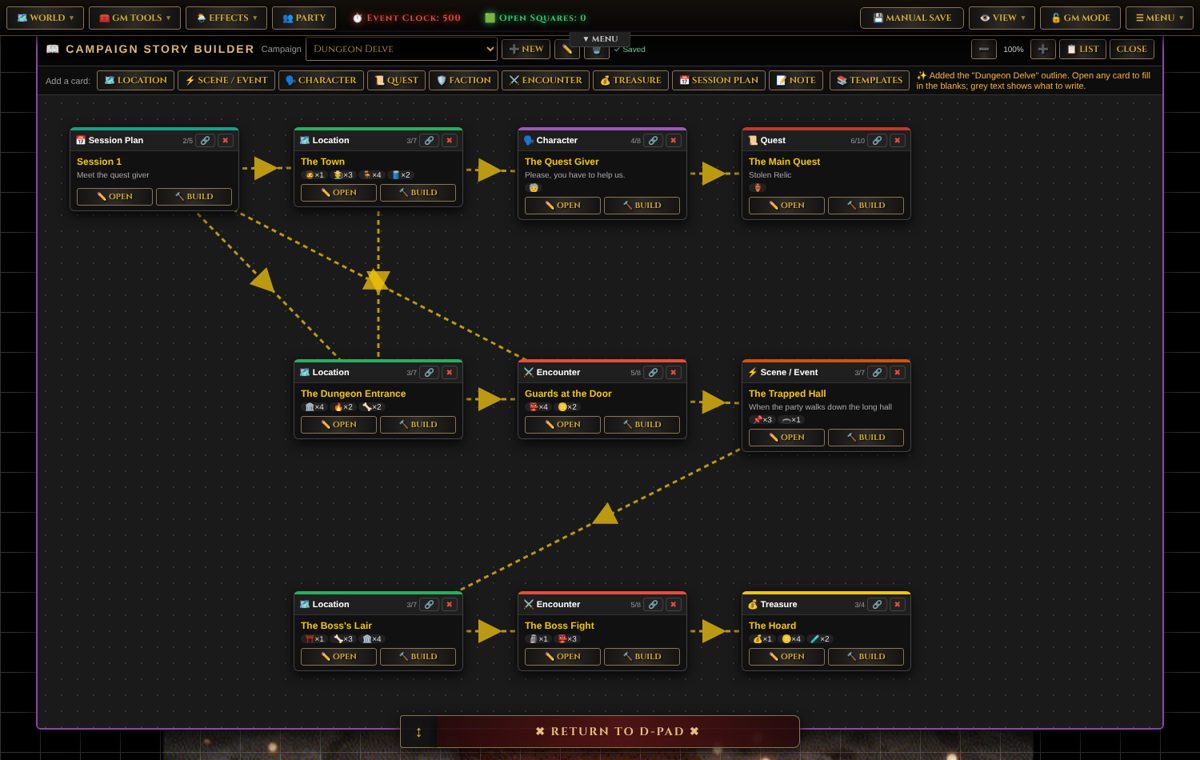
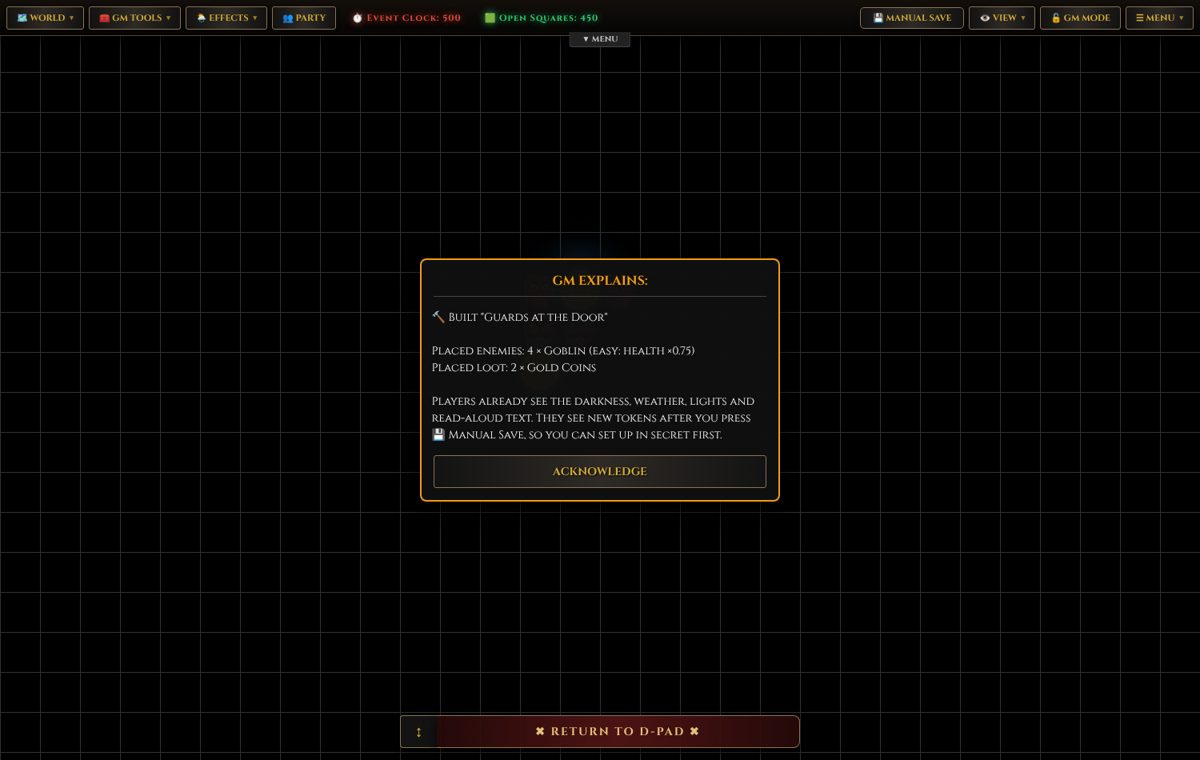
Plan with cards (locations, scenes, NPCs, quests, encounters, loot). Every card has a 🔨 Build button that puts it on the map.
🌦️ Atmosphere
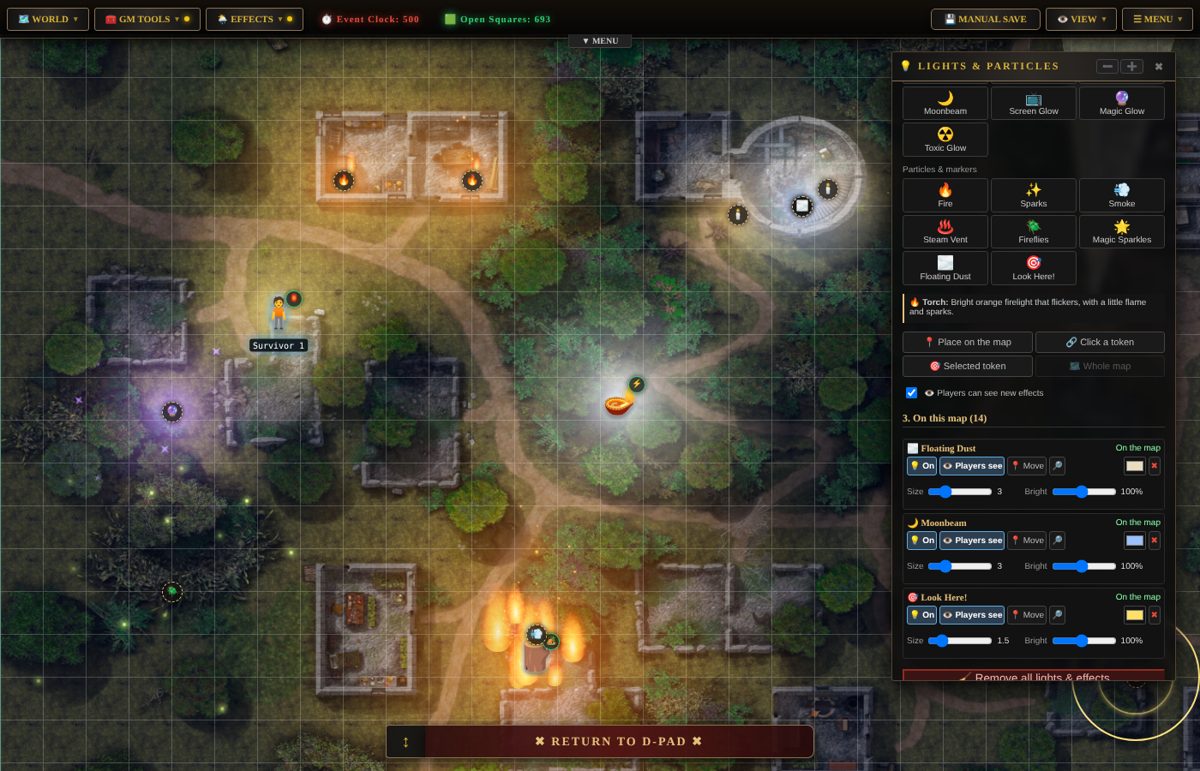
Rain, snow, lightning, mist, embers. Torches, flickering bulbs, searchlights, fireflies. Fire that spreads across oil and lightning that runs through water.
🌿 Deep, branching stories
Conversations with choices, skill checks and story flags. Linked maps and sub-maps. Win goals, ways to lose, hidden objectives.
🎲 One-click campaigns: a whole adventure from one button Map → One-click campaign
This is the "we're playing in ten minutes" button. In GM mode, open 🗺️ Map → 🎲 One-click campaign and choose:
- An adventure: 🏰 Dungeon delve, 🌲 Into the wild, or 👻 The haunted manor.
- A length: short (3 maps) or long (4 maps), and a map size.
- 👹 Monsters, 💰 treasure and ⚠️ traps on or off.
A few seconds later you have:
- Every map generated, with doors both ways between them, so the party can travel back and forth.
- A quest giver in town who names the villain, the lair, the way there and the reward.
- A named villain in the far room of the last map (say, "Ulgoth the Dragon").
- A goal for each map, the quest in the 📜 Journal, and a linked 📖 Story Builder board.
- Every locked door has a reachable key, and nothing gets placed where players can't walk.
- One invite link that covers the whole campaign.
▶ Play now copies that link and starts the 📞 voice/video call. Send the link, and you're running a game.
🏰 The Room Builder: floor plans as fast as you can think them Map Setup → Room Builder
Inspired by the feel of a hand-inked dungeon map. You draw rooms, not loose squares:
- ▭ Rooms in square, round, eight-sided, L-shaped or cross shapes. Drag to move, pull a corner to resize, turn them in 15° steps.
- ⬛ Hallways 1 to 3 wide: drag from one room to another.
- 🚪 Doors, locked doors, archways and windows, plus pillars, stairs, water, rubble and braziers.
- Rooms with a purpose. There are about 29 of them, from throne room and barracks to kitchen and bathroom. Choose one and the room is named, floored and furnished in one click: beds along the walls, a throne at the far end, the doorway kept clear.
- Grow a building room by room: "add a room joined by a hallway →" builds Throne room › Hallway › Sleeping quarters › Barracks in a few clicks.
- Ready plans (castle keep, house, temple, dungeon prison) and 🎲 Make a map for me, which generates a full dungeon, cave, forest, town or house with monsters, treasure, traps and a boss in the furthest room.
Pick a look (inked walls, hatched or rocky borders, parchment or dark, or tiled floors) and press ✔ Done. The plan becomes a playable map: walls block movement and sight, doors become door tokens, water becomes a real water surface, and braziers give off light. The plan is kept, so you can come back and change it.
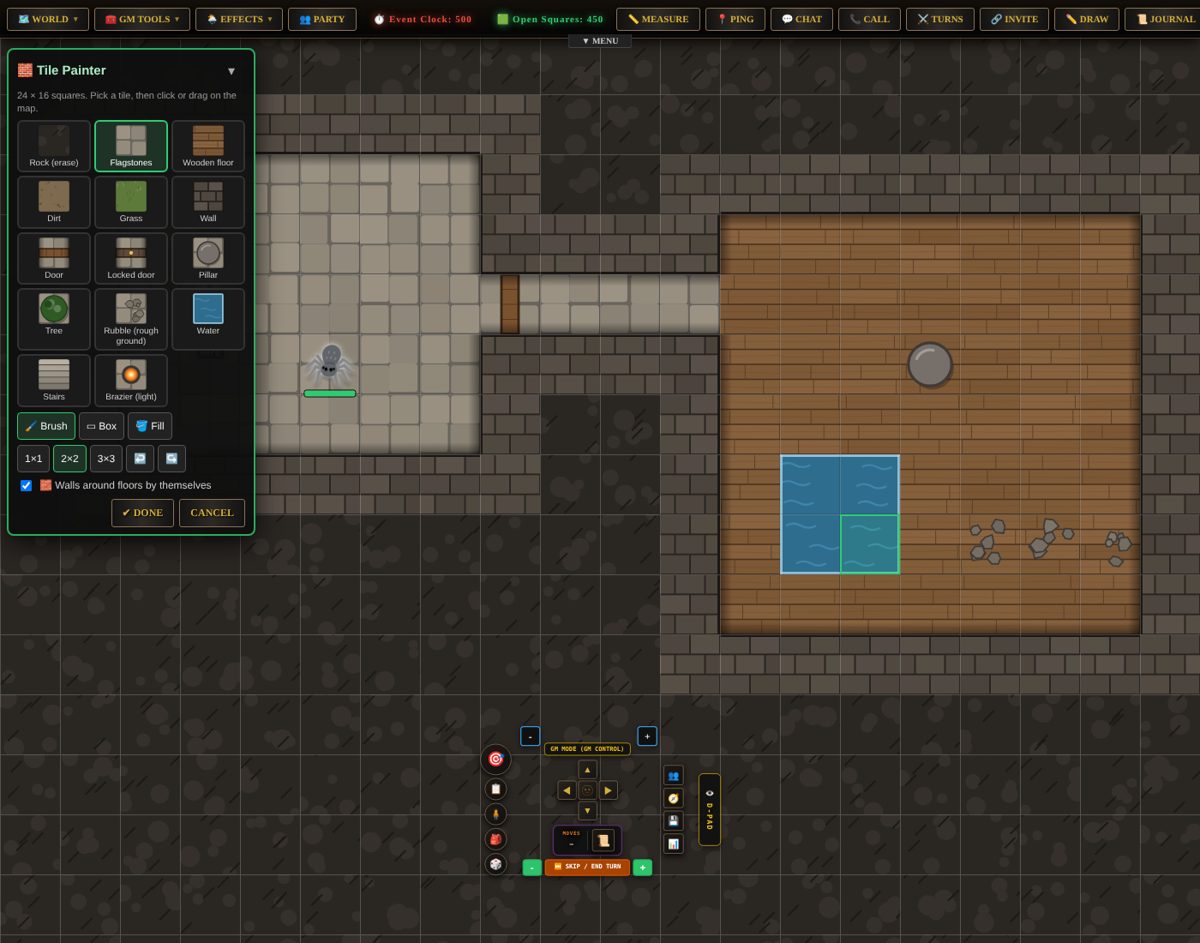
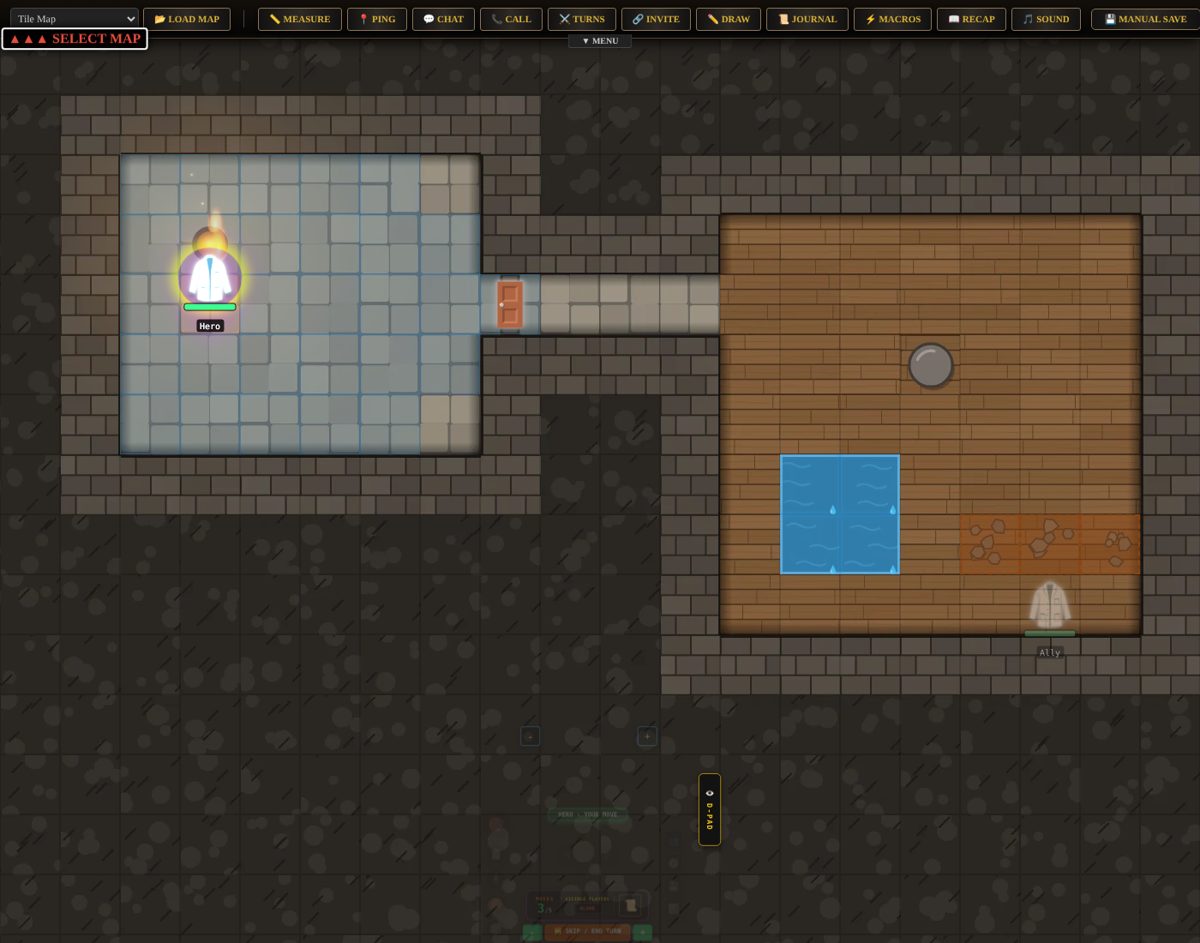
Prefer to paint? The 🧱 Tile Painter lets you brush floors, walls, doors, water and trees straight onto the grid, and walls appear around floors by themselves. Then redraw the whole map in a new look with one click: stone dungeon, cave, forest, town, wasteland or space station. GMs can design and share their own tile looks too.
Have a map already? Drop any picture or video onto the board (or paste it with Ctrl+V), click two corners of one square to line up the grid, and you're done. Maps from Dungeondraft, Dungeon Alchemist and DungeonFog import with their walls, doors and lights.
⚒️ The Forges: icons, emojis and assets that look like they belong Tokens → Glyph Forge
A great table looks consistent. The forges exist so a GM can build a whole matching set of tokens without leaving the game or opening another app.
- Find a picture. Search over 4,000 built-in fantasy and horror game icons (they work offline), or free images from Openverse, Wikimedia Commons and Pixabay. Only pictures you're allowed to change are shown. Or upload your own drawing.
- Forge it. Choose one of 8 finishes (Bone, Blood, Ectoplasm, Void, Candle, Moonlit, Rust or Clean), then tune the colour, a backing (disc, slab, wax seal, tombstone, shard), glow, grime and outline. ✂️ Trace turns any picture into a clean silhouette right in your browser.
- Save it to My glyphs. It's yours on every map, with its source and licence kept for the credits list.
- Place it. 📍 Click the map to drop tokens, or 🎭 give a token that's already there the new look. Its health bar and markers stay.
😀 The Emoji Forge does the same for emoji. Every emoji token on the map is listed: click 🕷️, forge it into a carved-looking spider glyph, then press 🔁 Use for every 🕷️ on this map, and every spider at the table changes at once. Or skip forging and set an emoji style for the whole map (Bone, Blood, Ectoplasm, Moonlit, Candle, Rust or Ink), which turns cheerful cartoon emoji into moody single-colour silhouettes, live for everyone.
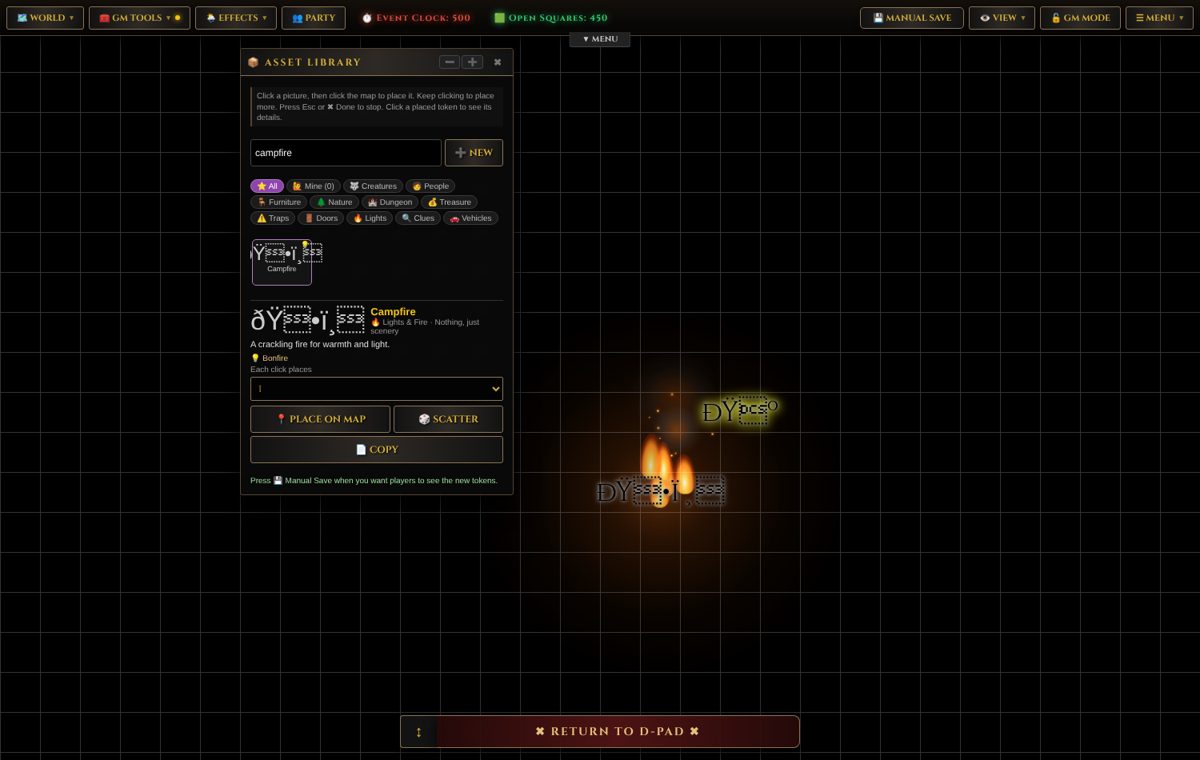
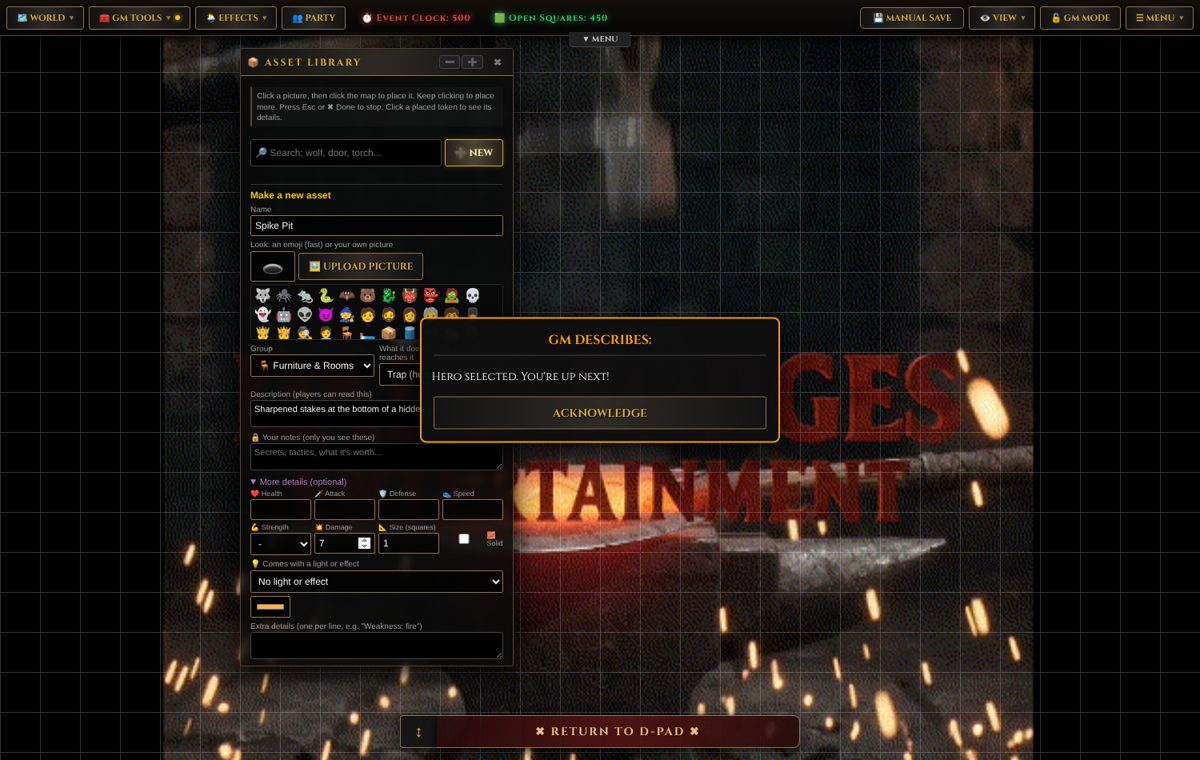
📦 The Asset Library is a point-and-click shelf of 129 ready-made things in 11 groups: creatures, people, furniture, nature, traps, doors, lights and more. Click it, click the map, keep clicking to place more, or 🎲 Scatter copies across open squares. Any asset can have a picture, stats, damage, a size, an attached light, and an on-touch behaviour such as a trap that springs, a door to another map, a clue, or a character who talks. Save your own creatures to 🐉 My Monsters, import 5e stat blocks, and share packs with other GMs.
📖 Story Builder: plan the story, then build it onto the map Map → Story Builder
Storytellers think in scenes, not squares, so the Story Builder speaks that language. Start from an outline (Dungeon Delve, Town Mystery, Survive & Escape, The Heist, Rescue Mission, The Journey, One-Shot) and you get linked cards already filled with a starting idea. Stuck? The 🎲 next to many boxes rolls a random idea.
| Card | What 🔨 Build does | Why it matters |
|---|---|---|
| 🗺️ Location / ⚡ Scene | Places its things, sets darkness and weather, adds lights, and can show read-aloud text on every player's screen | Mood in one click |
| ⚔️ Encounter | Places enemies with health scaled Easy → Deadly; 🎲 Suggest creatures picks a fair fight for your party size | No maths mid-session |
| 📜 Quest | Adds the mission goal and briefing, and places the items | Players always know the "why" |
| 🗣️ Character / 🛡️ Faction | Places the NPC; their lines become what they say when a player walks up | NPCs that talk back |
| 💰 Treasure | Scatters the loot | Rewards, instantly |
| 📅 Session Plan | 🚀 Builds every linked card in order: a whole game night | Prep becomes one button |
Finished something you love? 🌐 Share it as a template, with your text or as an outline only, so other GMs can start from it.
✨ Effects: weather, lighting and surfaces that change the game Effects menu
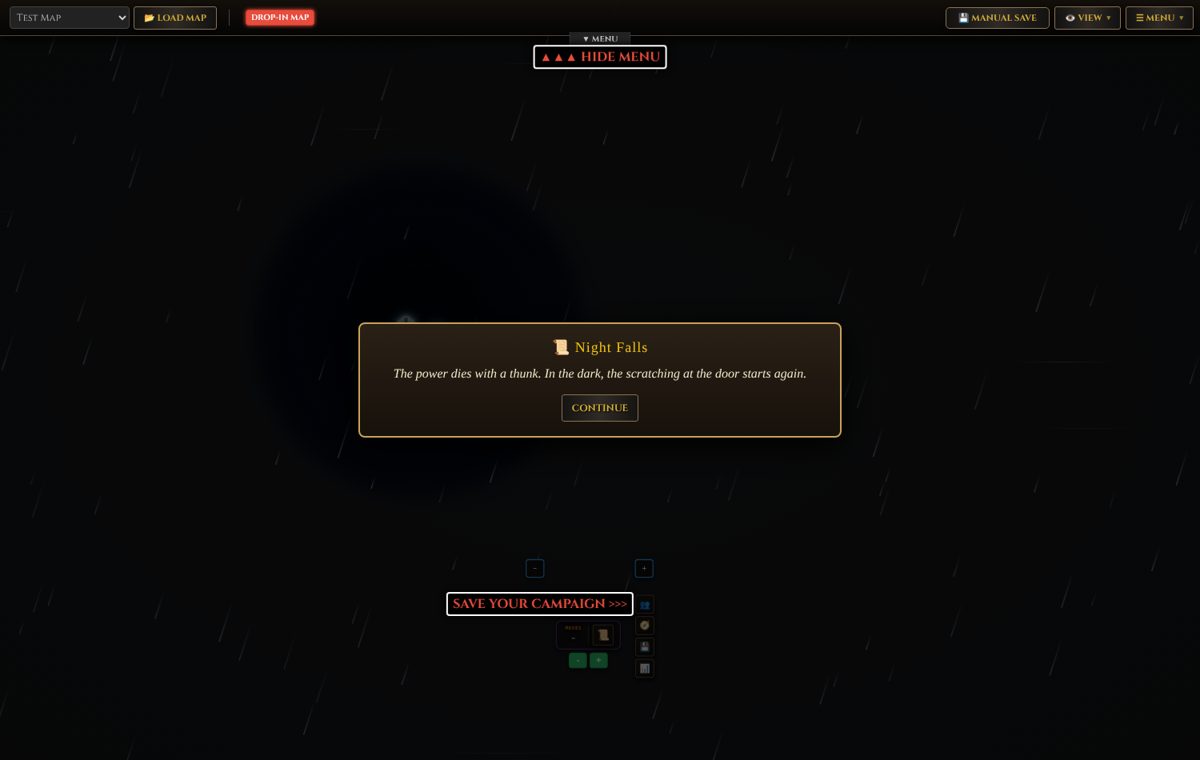
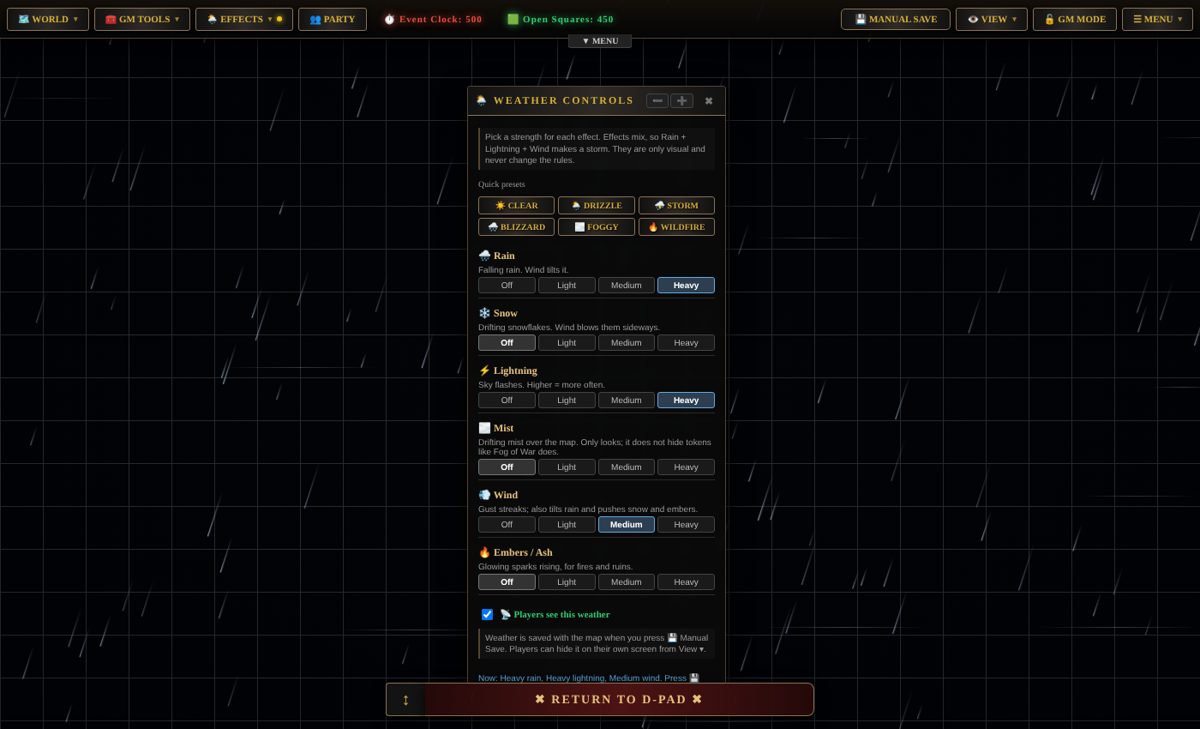
- 🌦️ Weather: rain the wind tilts, snow, lightning, mist, wind and embers, each Off/Light/Medium/Heavy and mixable. One-click presets like Thunderstorm, Blizzard and Wildfire. Everyone on the map sees it live.
- 💡 Lighting: Day, Dusk, Night or Pitch black, tinted warm, moonlit, eerie green or blood red. 13 lights (candle, torch, bonfire, flickering broken bulb, sweeping searchlight, spinning alarm beacon, magic and toxic glow) and 9 particle effects (fire, sparks, smoke, steam, fireflies, dust). Stick a light to a token and it moves with it. Set things up in secret and reveal them when the moment's right.
- 🧱 Line of sight: walls block sight and light. The fog only opens where a character could really see.
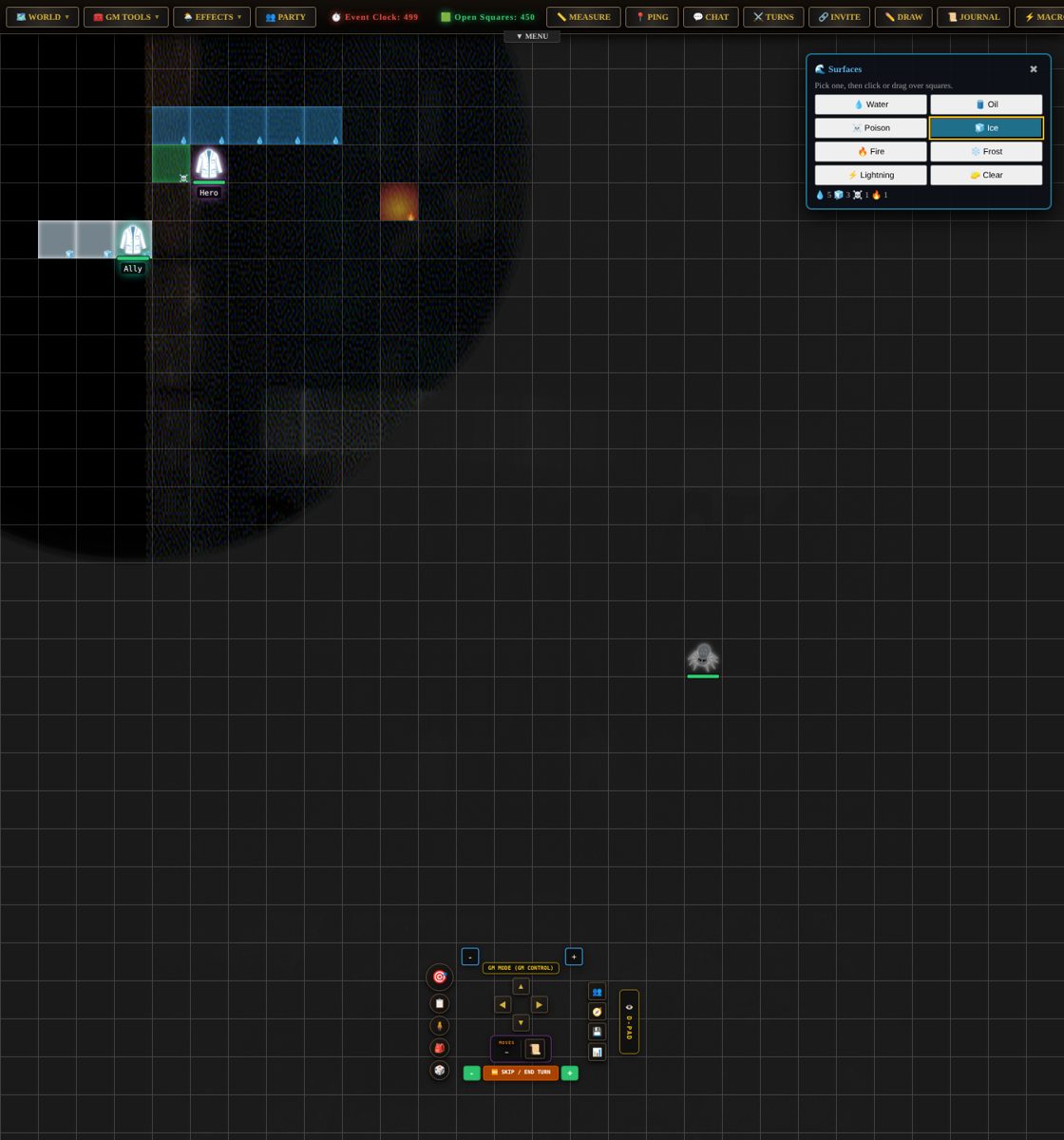
- 🌊 Surfaces: paint water, oil, poison, ice or fire onto squares, and they react. Fire lights oil and spreads, lightning electrifies puddles, fire melts ice, water puts fire out. Standing in them hurts, slows or makes you slip, monsters included.
🌿 Deep campaigns: branching stories, linked worlds, real stakes For the ambitious GM
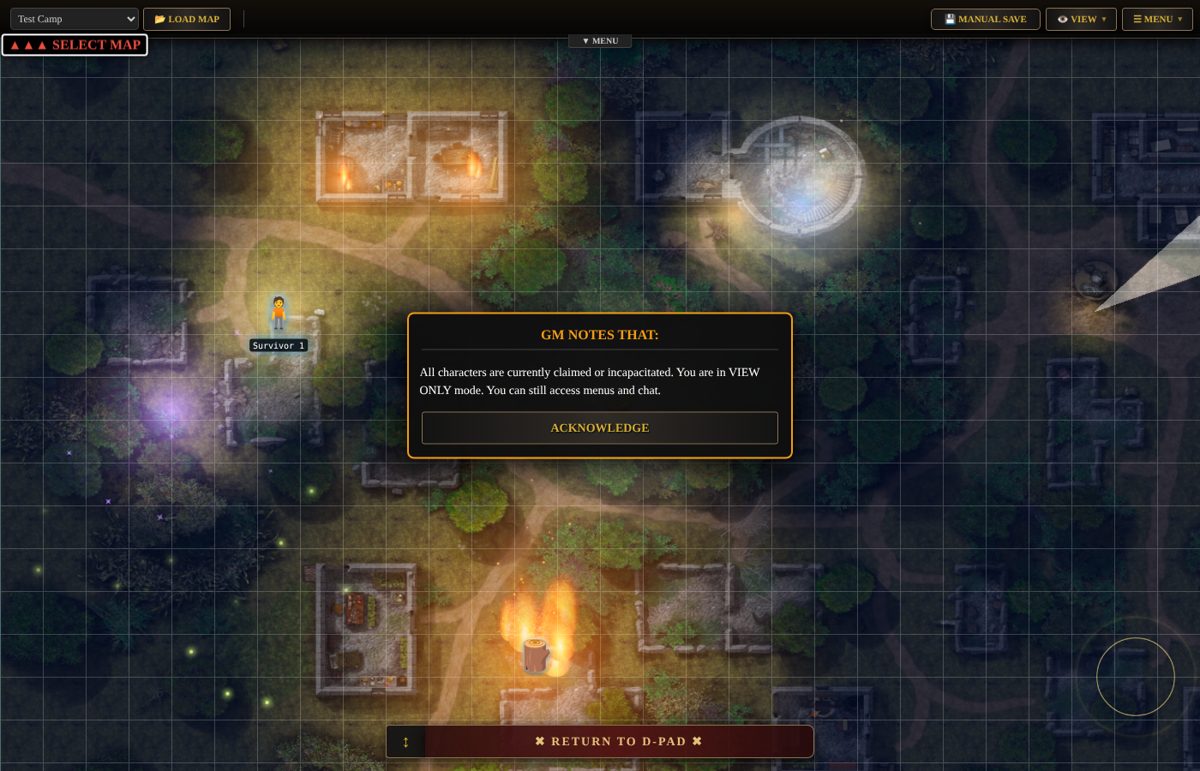
This is where the engine goes well past "a map with tokens". The goal was to let a GM build something that feels like a modern story-driven RPG (think Baldur's Gate 3) in a browser, with no coding.
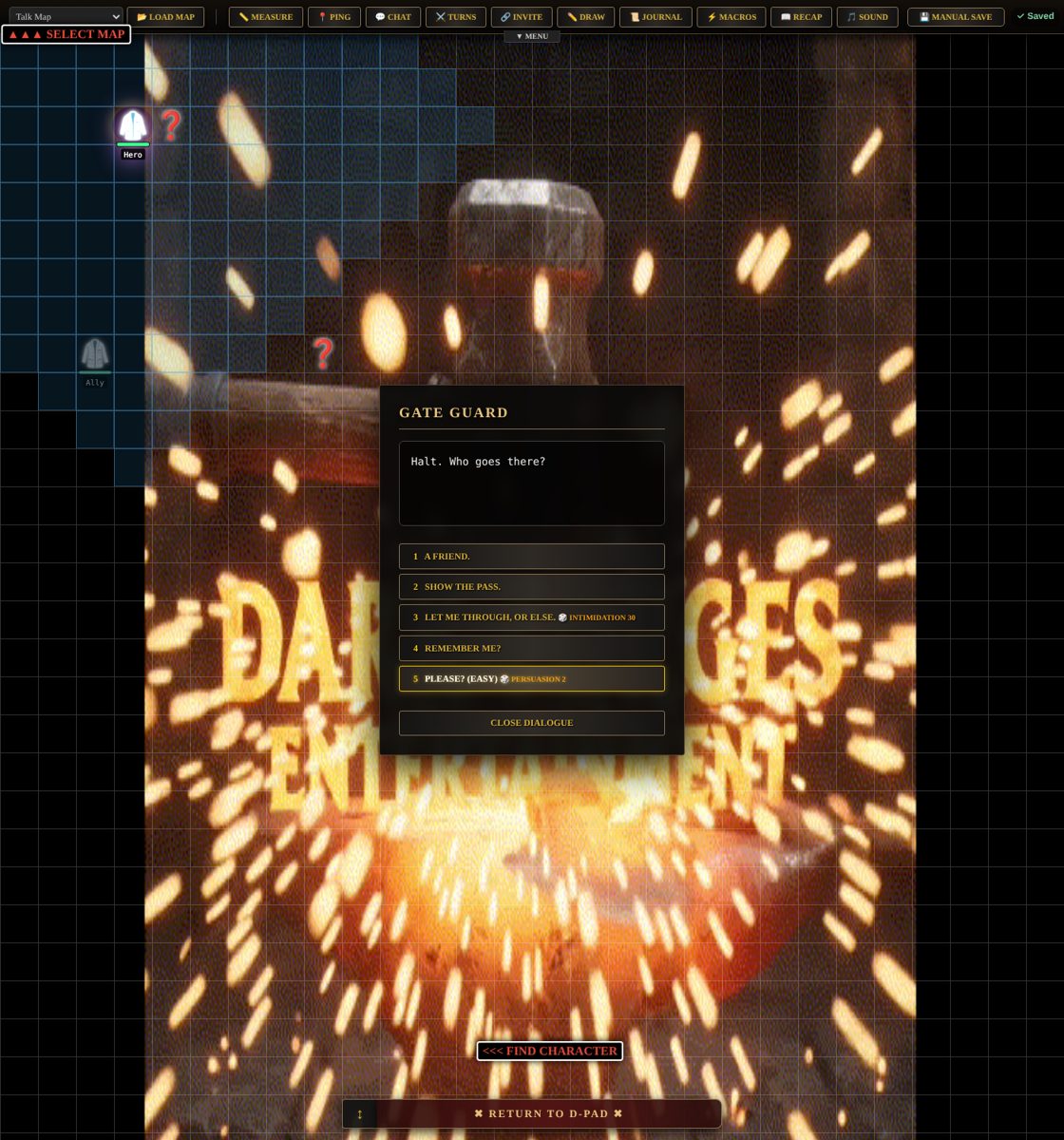
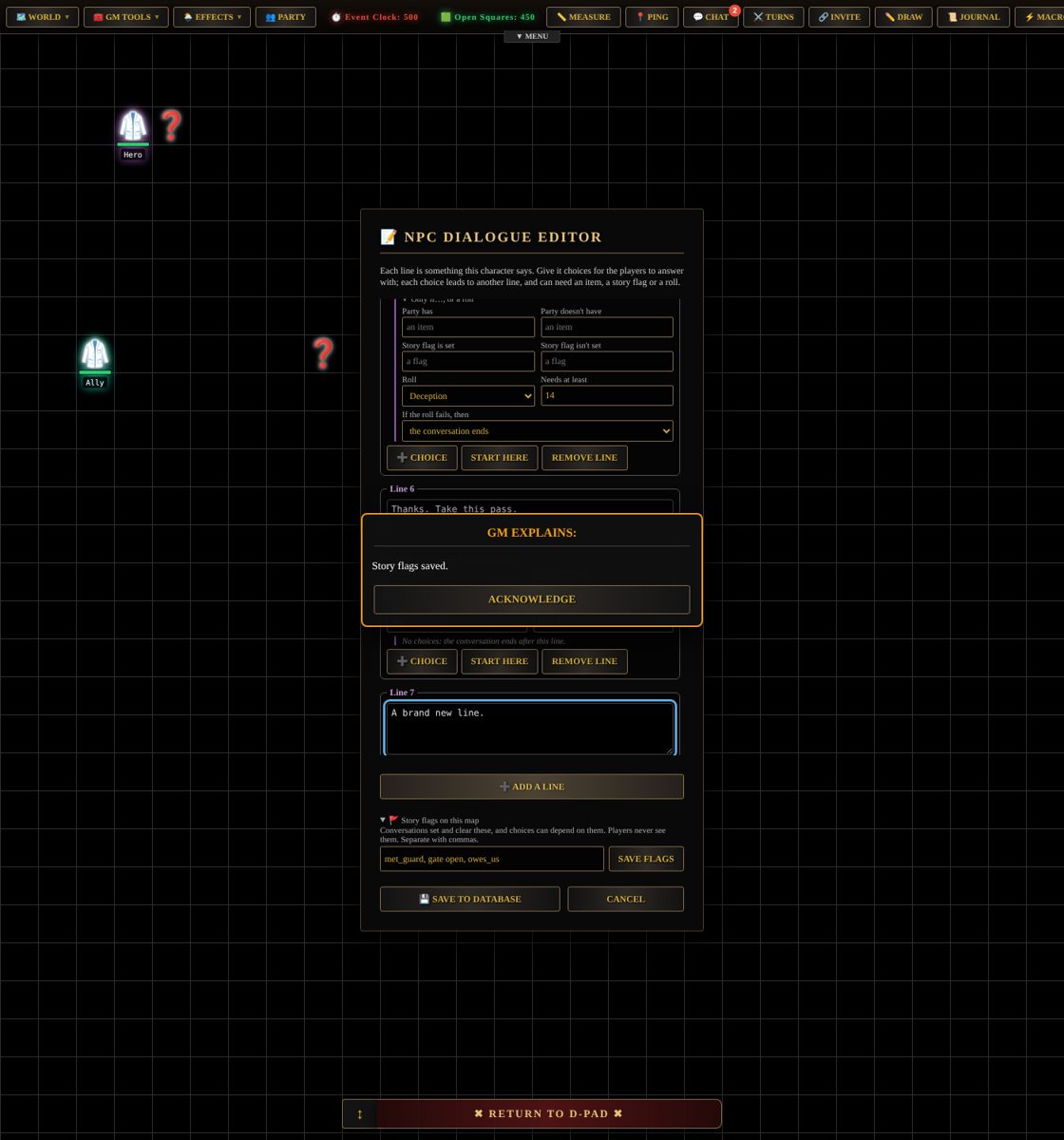
- 🌿 Conversations with choices. NPC dialogue becomes a branching tree. A choice can lead anywhere or end the talk, can need an item or a 🚩 story flag, or can be a skill roll (Persuasion, Intimidation) with its own failure line. Lines can set flags and give or take items. The website runs it, so players only ever see the line being said and the answers they can pick right now.
- 🚪 Linked maps and sub-maps. Doors between maps, rooms inside buildings, an overworld that leads to dungeons. The party arrives beside the door back.
- 🎯 Win and lose conditions. Collect, destroy, defeat or escape goals. Lose on a party wipe, when the Death Clock hits zero, or by leaving before the job's done. Make goals vague ("clear the spiders" rather than "0 / 20") so taking the exit becomes a gamble.
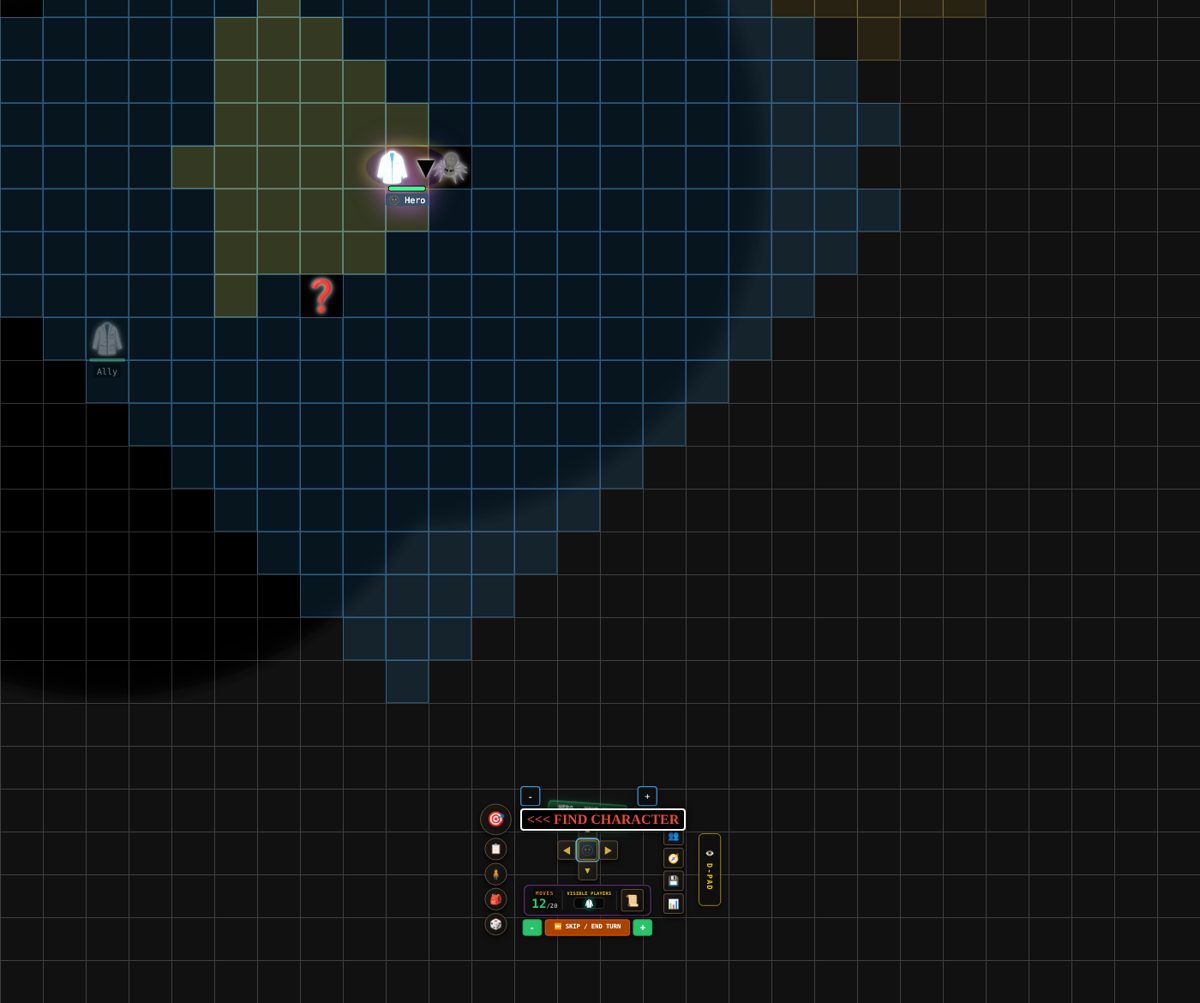
- 🫥 Stealth and vision cones. Guards watch one way and turn each round, and walls block their cones. Characters hide with a Stealth roll. Ambush an unaware monster and it loses its first turn.
- 📦 Objects with physics-lite rules. Solid crates, shoveable barrels, heavy boulders that need a team, and things you can climb to see further.
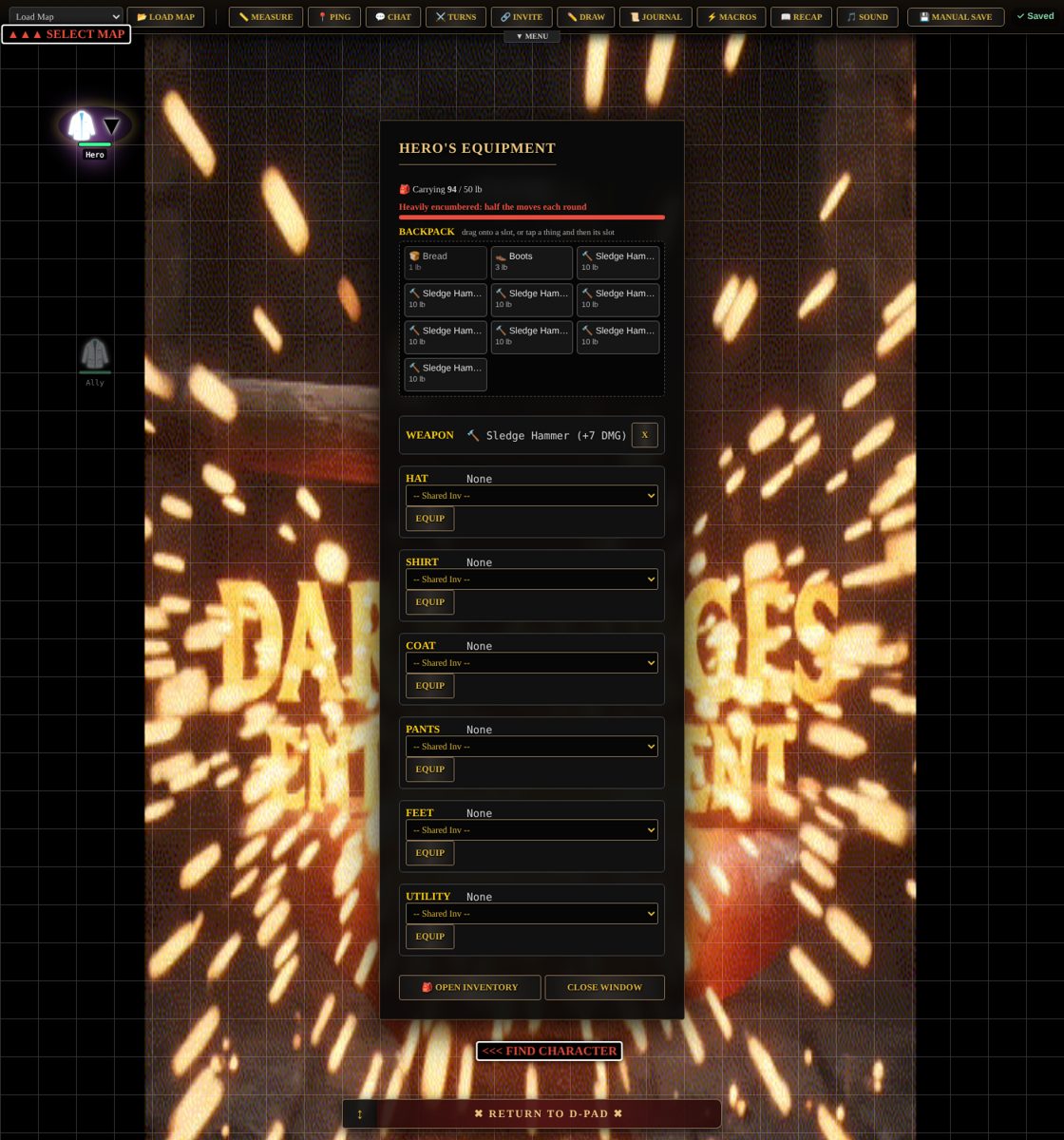
- 🎒 Real inventory. Drag-and-drop gear, item weights and encumbrance. Rest furniture (beds, chairs, couches) gives a random bonus behind a fade-to-black "RESTING…" moment.
- 🧩 Any game system. Built-in sheets for custom stats, a simple universal layout and d20 fantasy (5e-style), or drop in a small
.system.jsonfor your own game, including roll-under systems. - ⏱️ Event clock, themes and content swaps. Re-theme a map as zombie apocalypse, fantasy dungeon or space station, and rename or re-picture anything.
🧭A GM's walkthrough: idea to table
Three paths, depending on how much time you have
A GM's walkthrough: idea to table
Three paths, depending on how much time you have⚡ "We're playing in 10 minutes"
- Register and log in at the VTT. GMs go to 🛠️ Map Creator from the Main Menu.
- 🗺️ Map → 🎲 One-click campaign. Pick 👻 The haunted manor, short, medium size, monsters and treasure on.
- Optional 30-second polish: 🌦️ Effects → 🌙 Make It Night, then add a 🔥 torch to each player.
- ▶ Play now. Paste the copied link into your group chat. The call is already running.
🏰 "I have a dungeon in my head"
- Map Setup → 🏰 Room Builder. Start from the dungeon prison plan, or 🎲 Make a map for me.
- Shape it. Drag rooms, give them purposes, 🪑 Furnish, add a locked treasury door.
- ✔ Done. Walls, doors, water and lights now work in the game.
- ⚒️ Glyph Forge: forge a Bone-finish skull for your undead and 🔁 use it for every 💀 on the map.
- 📦 Asset Library: place traps, a talking prisoner, a clue in the cell.
- 🎲 Game → Rules & Rounds: set a goal ("rescue the prisoner") and a way to lose (the Death Clock).
- 🔗 Invite your players.
🌍 "I'm building a campaign"
- 📖 Story Builder: lay out locations, factions, NPCs and the quest line as linked cards.
- Build each place: import a battlemap, paint tiles or design rooms, then link maps with doors and sub-maps.
- 🌿 Write conversations with choices, skill checks and story flags that change what NPCs say later.
- 🔨 Build scenes and encounters onto their maps, with weather, lighting and read-aloud text.
- 🎭 Theme it: a tile look, an emoji style and forged glyphs for a consistent world.
- Run it: sessions are recapped automatically, the journal holds handouts, and 🌐 Share turns it into a template for other GMs.
The engine also has 📘 Map Building Guides built in: 9 step-by-step visual guides with 👉 Show me buttons that open the real menu and highlight the button you need.
⚔️At the table: what players get
Everything a group expects, and a few things they won't
At the table: what players get
Everything a group expects, and a few things they won't🎲 Real dice
Type 2d6+3, roll with advantage, keep-highest. Rolled on the server so nobody can fake them. The GM can roll in secret.
💬 Chat & 📞 calls
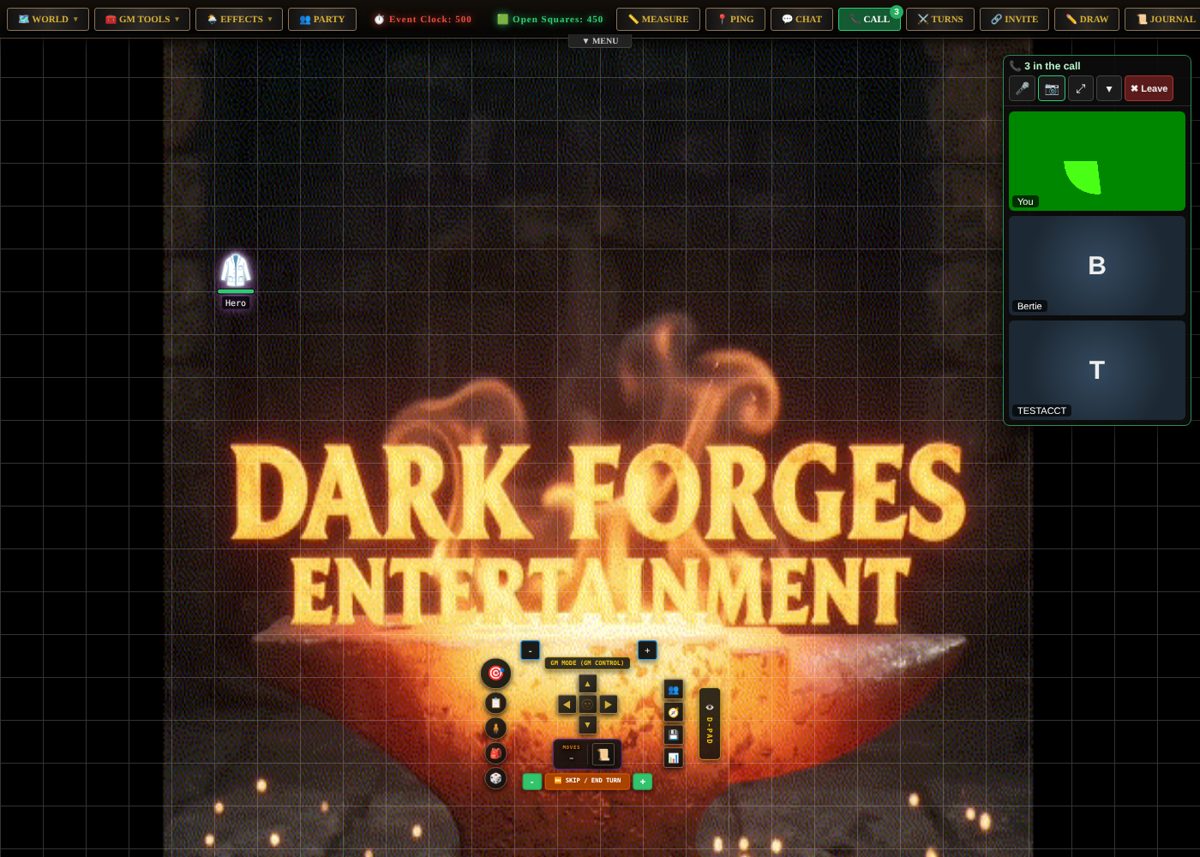
Text chat with whispers, plus built-in voice and video for the whole map. No separate call app needed.
⚔️ Turn-based fights
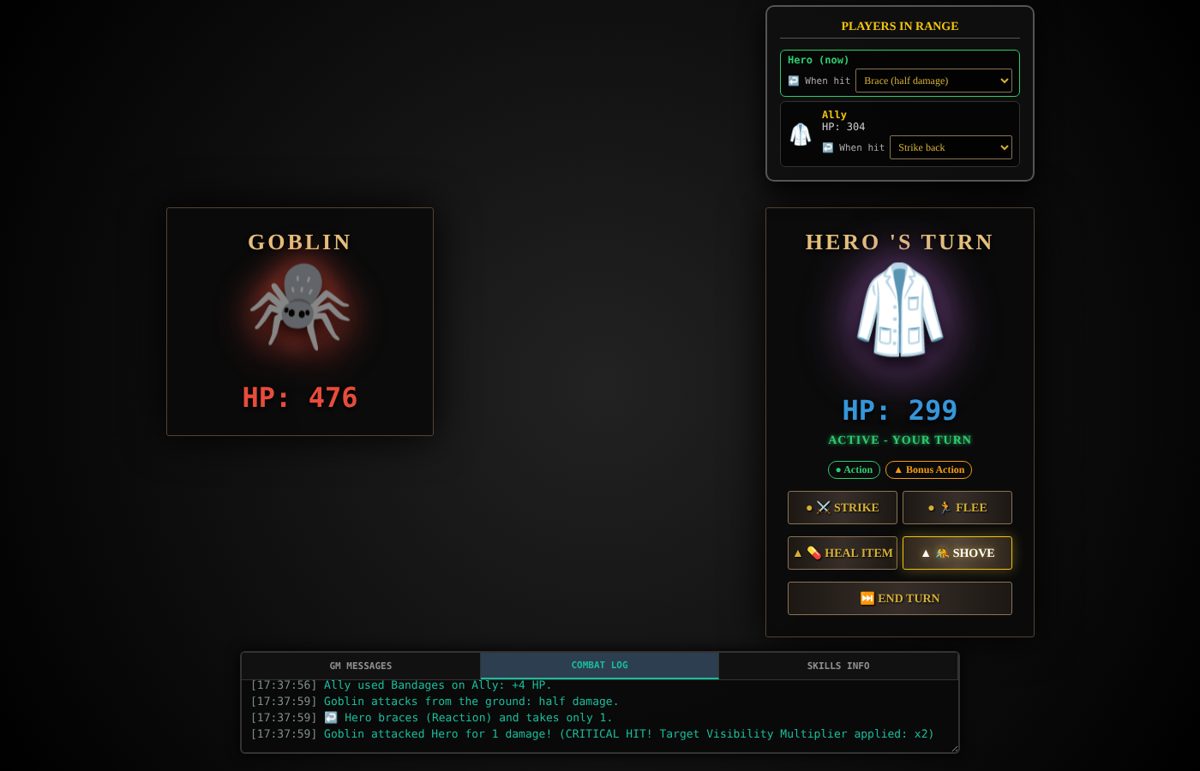
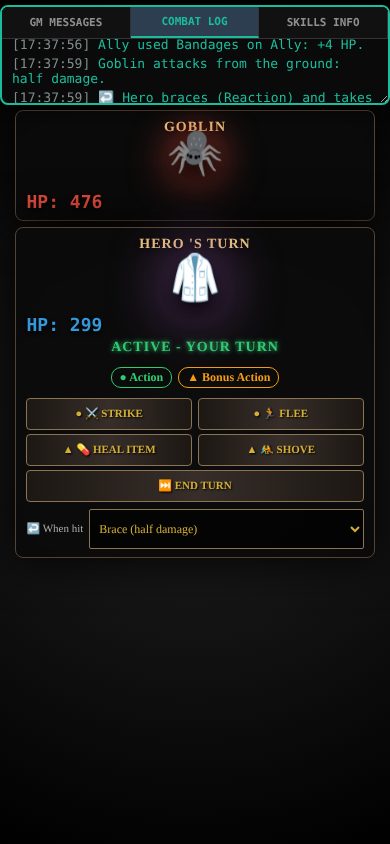
Initiative order, plus Action, Bonus Action and Reaction each turn. Shove, strike back, brace. Big bosses fill 5×5 squares.
👣 Click to walk
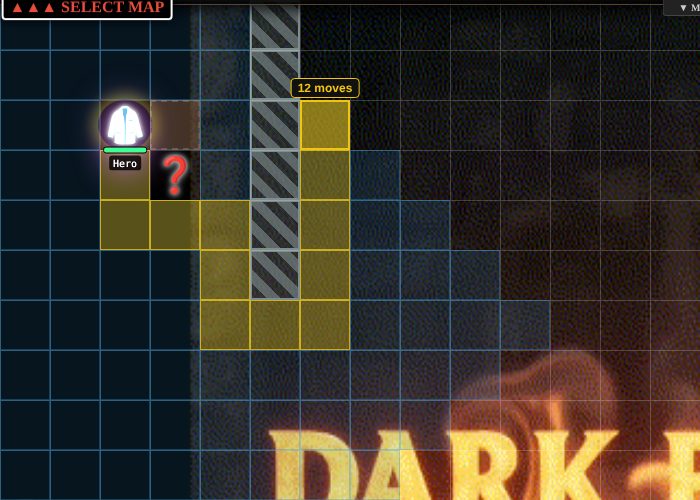
Select your character and see every square you can reach. Point at one to see the path and its cost, then click to walk.
📱 Phone & gamepad
A movable D-pad with every button in a tray, layouts that fit a phone, and gamepad support.
📖 Recaps & journal
"Last time…" recaps written from what actually happened, plus handouts, a journal and macros.
♿ Accessible
Text up to 150%, colour-blind safe health bars, less motion, keyboard play and screen reader labels.
🌐 English & Español
Each player picks their own language. Spectators can watch on a delay, which is good for streaming.
📈Progress: what we built, and why, in what order
From a working prototype to a real-world app, round by round
Progress: what we built, and why, in what order
From a working prototype to a real-world app, round by roundThe engine already had a strong map side: weather, lighting, fog of war, walls, a phone D-pad. To turn it into something strangers could safely use, the first step was an honest review. Every gap was listed against tools like Roll20, Foundry and Owlbear Rodeo, and sorted into must-haves, should-haves and nice-to-haves. That list became the roadmap, and the roadmap was worked through in small rounds. Each round was built, tested, written up in plain English, and released before the next began.
Roadmap progress
89 of 92 items shipped. Still to come: map rulesets, spectator votes and a player currency.
🔒 Rounds 1–2: make it safe for strangers security · privacy
🎲 Round 3: the core table features autosave · chat · dice · invites
🛡️ Round 4: the website becomes the referee the big architectural change
📜 Round 5: should-haves sheets · tokens · themes · speed
✨ Round 6: the stand-out features recap · macros · accessibility · line of sight · Glyph Forge
🐉 Round 7: Baldur's Gate 3 style systems objects · pathing · inventory · dialogue · actions · surfaces · stealth
🌐 Rounds 8–9: open it up Spanish · imports · sharing · game systems · voice & video
🗺️ Round 10: the Map Forge backgrounds · tiles · looks · rooms · generator · one-click campaign
🧪 Rounds 11–14: real players, real feedback bugs · menus · guides · fog · forges · stakes
🔜 What's next in planning
- Map rulesets: GMs tick boxes to apply rules to a map they build.
- Spectator votes: the GM asks the audience a yes/no question with a countdown ("more moves?", "send in reinforcements?").
- Player currency: earned by playing, and spent on votes or on items for the GM to give out.
🧠The logic behind the way it's built
The design rules every round followed
The logic behind the way it's built
The design rules every round followed1. Storytellers first
Every tool is judged by "how fast does this get the GM's idea onto the table?" That's why a room furnishes itself from its purpose, and why a Story Builder card has a Build button.
2. The website is the referee
Players' pages only say what a character wants to do. The server rolls, moves, damages and decides. That makes cheating impossible and keeps everyone's screen in sync.
3. Players see only what they could see
Hidden tokens, NPC lines, clues and secret doors aren't hidden by fog. They're never sent until a character finds them.
4. Safety before shine
Security, saving and privacy came before every new feature. A fun tool that loses your campaign isn't a tool.
5. Build on what exists
Before each feature, the code was checked for what already worked, so only the missing part was built. The room builder reuses the tile painter, the campaign reuses the generator, the emoji forge reuses the glyph forge.
6. Easiest first, ship every round
Work went in small, tested, released steps. Each one had plain-English notes and upload steps, and none of them broke existing saves.
7. Everything stays editable
Generated maps, one-click campaigns and furnished rooms are starting points. Nothing the engine makes for you is locked.
8. Prove it
Real screenshots, automated sweeps of thousands of button presses, accessibility checks, and measured speed gains, not just "it should work."
🤖Built with Claude
How one person with a big idea built a platform
Built with Claude
How one person with a big idea built a platformA solo developer, a huge vision, and an AI teammate
This engine started as my passion project. Its growth into what you see here (security hardening, a server-side rules engine, a map forge, a dialogue system, voice calls, two languages and more than 50 tested releases) was built in partnership with Claude, Anthropic's AI assistant.
Here's what that looked like in practice:
- A real review, not flattery. Claude read the whole codebase and told me plainly what would stop real people from using it, ranked by priority. That list became the roadmap above.
- Plain-English planning. Every round started with "what does the engine already do?", checked in the actual code, then built only the missing piece.
- Working, tested builds. Each round came back with the code, a database update when needed, step-by-step upload instructions, real screenshots, and a write-up of what changed and what wasn't done yet.
- Turning feedback into features. When players hit bugs or asked for things, those went straight onto the list and into the next round.
If you've got a game, an app or a business idea you've been sitting on, I can't recommend it enough. The bottleneck is no longer "can I build this?" but "what do I want to build?"
I'm not paid to say this. I just use it.
❓FAQ
For friends, players and curious GMs
FAQ
For friends, players and curious GMsIs it free to try?
Yes. It's open for testing. Register an account on the front page, confirm your email, and you're in.
Do I need to install anything?
No. It runs in your browser on a computer, tablet or phone. Voice and video calls are built in too.
I'm a player, not a GM. How do I join a game?
After logging in you'll see the Main Menu. Use 🤝 Join Game and paste the invite link your GM sent you, or pick ✨ New Game to try one of the ready-made maps. A short tour shows you how to move, roll and chat.
How do I become a GM?
Ask from your account settings. Once you're a GM, the 🛠️ Map Creator and every tool on this page open up.
What game systems does it support?
Out of the box: custom stats, a simple universal sheet, and d20 fantasy (5e-style). Other systems, including roll-under games, can be added with a small file, and GMs can share them.
Can I use my own maps and art?
Yes. Drop in any picture or video, import Dungeondraft, Dungeon Alchemist or DungeonFog files, upload your own token art, or forge it in the Glyph Forge.
Is my data safe?
Passwords are stored as proper hashes, map passwords are checked on the server, the last 10 saves of every map can be restored, and you can download or delete your account and data at any time.